I need to join two big datasets in a spreadsheet (~10M rows each). What’s the best approach in Row Zero?
The easiest way to join two big datasets is to use the XLOOKUP function in Row Zero. Row Zero spreadsheets support multiple large datasets in the same spreadsheet. Once you’ve imported both datasets into the spreadsheet you can use the XLOOKUP function to join data from one datasets to another as long as there is a common identifier in each dataset. Here’s more info on how to use XLOOKUP and a video tutorial.

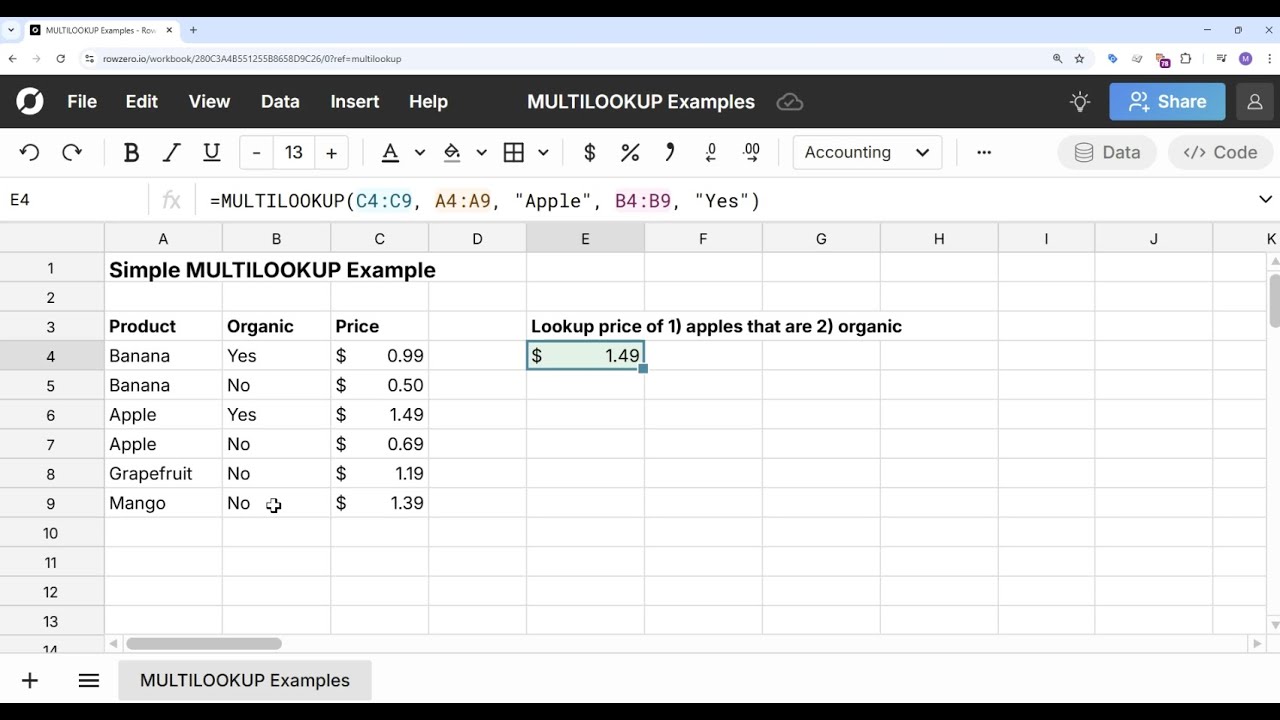
If you need to join datasets based on multiple criteria, use MULTILOOKUP which works like XLOOKUP with multiple criteria.
You can also use VLOOKUP (legacy lookup function), but XLOOKUP is recommended over VLOOKUP.
If you need to join multiple datasets from your data warehouse in a spreadsheet, you can also use SQL to write a JOIN clause from a connected spreadsheet in Row Zero and import the joined result into the spreadsheet.