What are Row Zero’s best spreadsheet functions not in Excel or Google Sheets?
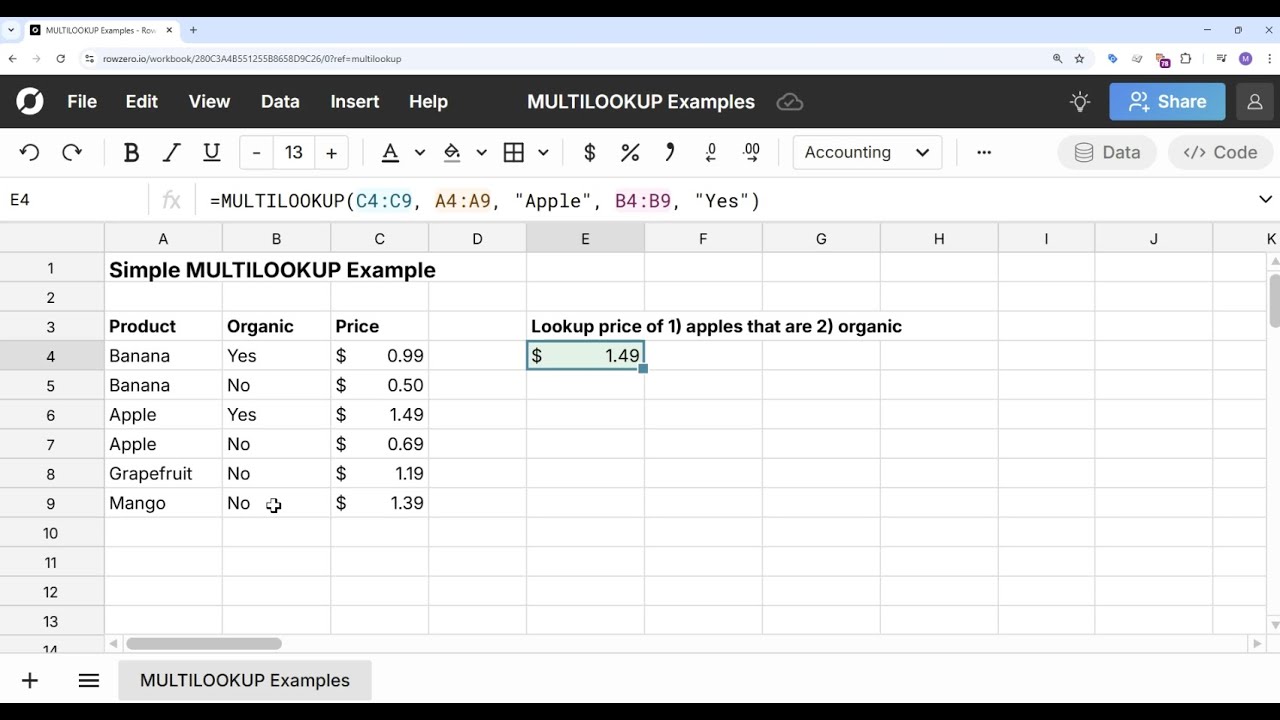
Row Zero supports ~250 spreadsheet functions including several functions not in Excel or Google Sheets. MULTILOOKUP is probably the most popular spreadsheet function unique to Row Zero. The MULTILOOKUP function is similar to XLOOKUP but lets you look up values based on multiple criteria. Here’s a list of spreadsheet functions unique to Row Zero:
- BUCKETCOUNT - Bucketizes data into a specified number of equally-sized buckets.
- BUCKETSIZE - Bucketizes data into buckets of specified size.
- MULTILOOKUP - Look up values based on multiple criteria.
- JSONEXTRACT - Extracts from a JSON object based on a hierarchical field path
- OBJECT - Creates a JSON object
- DATEPART - Extract the date part of a datetime
- DATATABLE - Creates a data table
- MAKEERROR - Creates an error value
- SMARTSAMPLE - Samples a specified number of (x1, x2, … xN) tuples from the given columns or ranges, making an effort to retain outliers. This is useful for any visual inspection of large datasets and scatterplots of big data sets.
- COUNTUNIQUE (also in Google Sheets)
- COUNTUNIQUEIFS (also in Google Sheets)
- NUMBERVALUE (also in Excel) - Parses a string into a number with optional decimal and group separators
- TEXTBEFORE (also in Excel) - Returns the text that occurs before a given delimiter
- TEXTAFTER (also in Excel) - Returns the text that occurs after a given delimiter
A related feature unique to Row Zero is the tilde operator “~”. You can apply the tilde operator to cell references in formulas to filter formulas in sync with source data filters.

1 Like
Here’s a video of how MULTILOOKUP works: